Auto captions for your videos, free on your computer
WipeClip turns the speech in your video, screen recording or voiceover into timed captions in a few clicks. Pick a look, fix any word, and export. Speech recognition runs on your computer, so your audio isn't uploaded for captions.
How it works
- 1
Open or record a video
Drop in an MP4, MOV or WebM file, or record your screen with your microphone in the app.
- 2
Generate captions
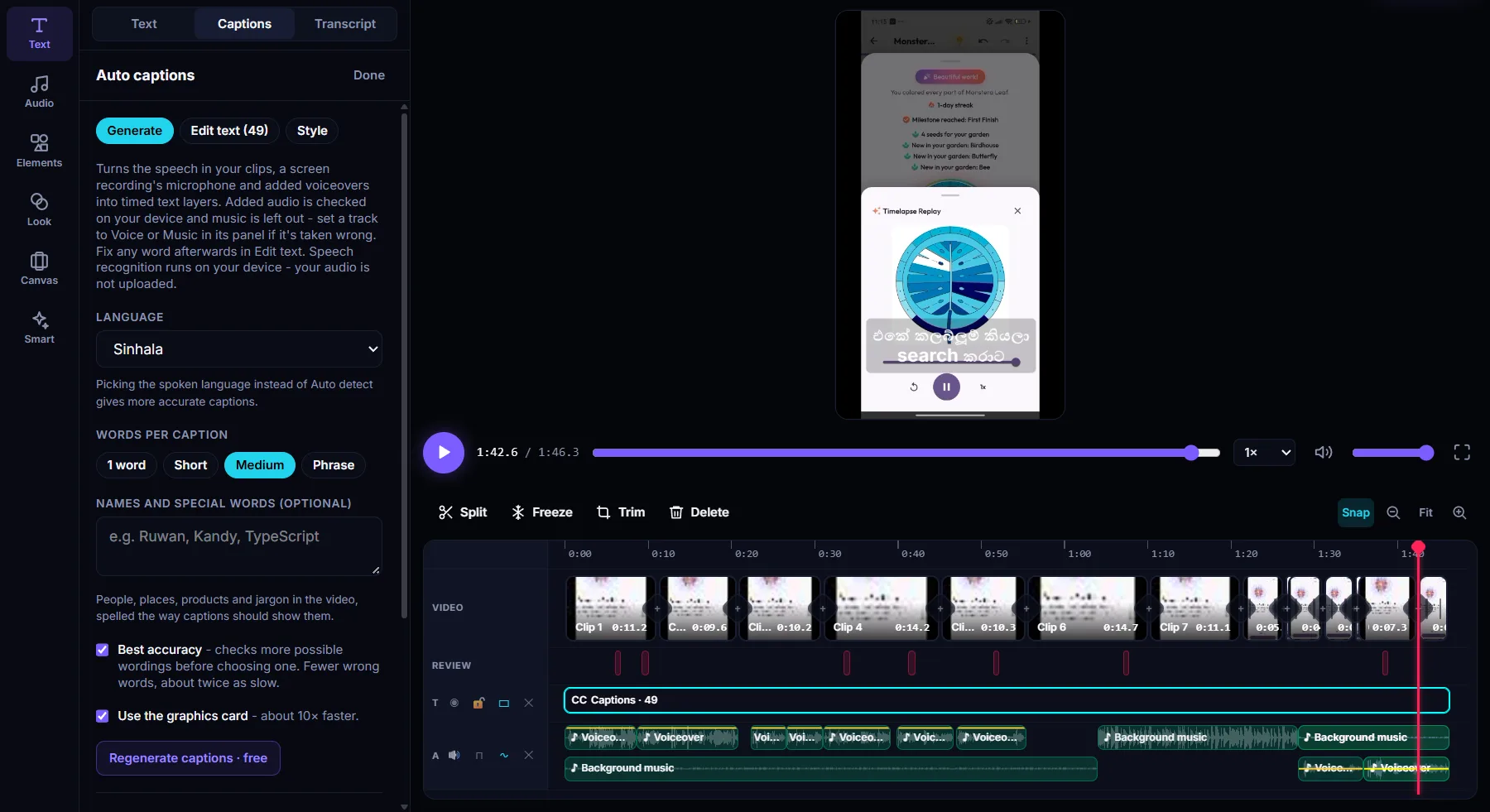
Go to Text, then Captions. Choose the spoken language, or let the app detect it, and how many words each caption shows.
- 3
Style and export
Choose a caption look, move it to the top, middle or bottom, then export the video with captions, or as an SRT or WebVTT file.
What you get
26 languages
English, Sinhala, Tamil, Hindi, Kannada and Telugu, plus Spanish, French, German, Arabic, Japanese, Korean and more.
Six caption looks
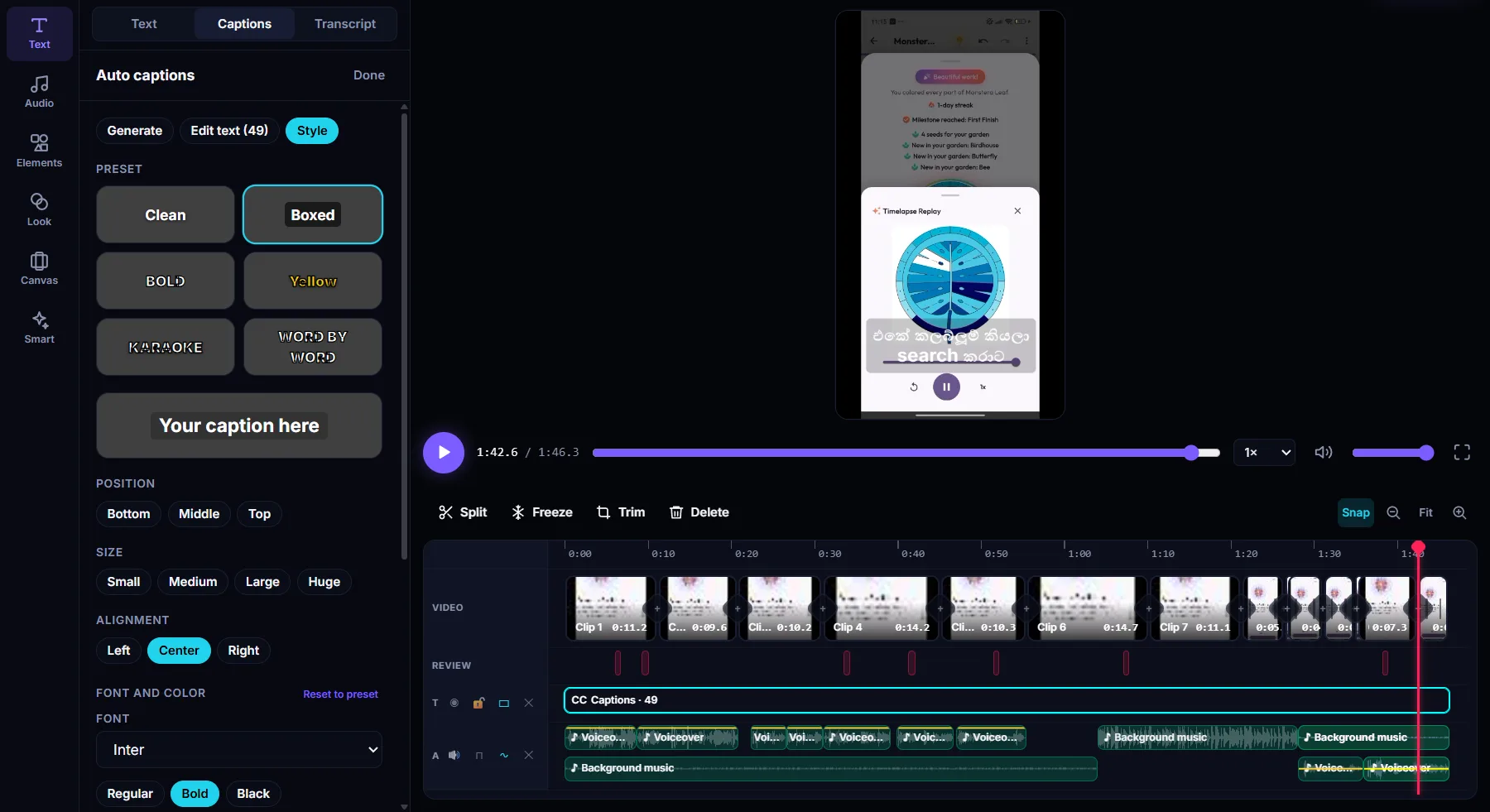
Clean, Boxed, Bold, Yellow, Karaoke and Word by word, each with your own font, color, outline and background box.
From 1 word to a phrase
Show one word at a time for short vertical videos, or full phrases for tutorials and talks.
Fix words fast
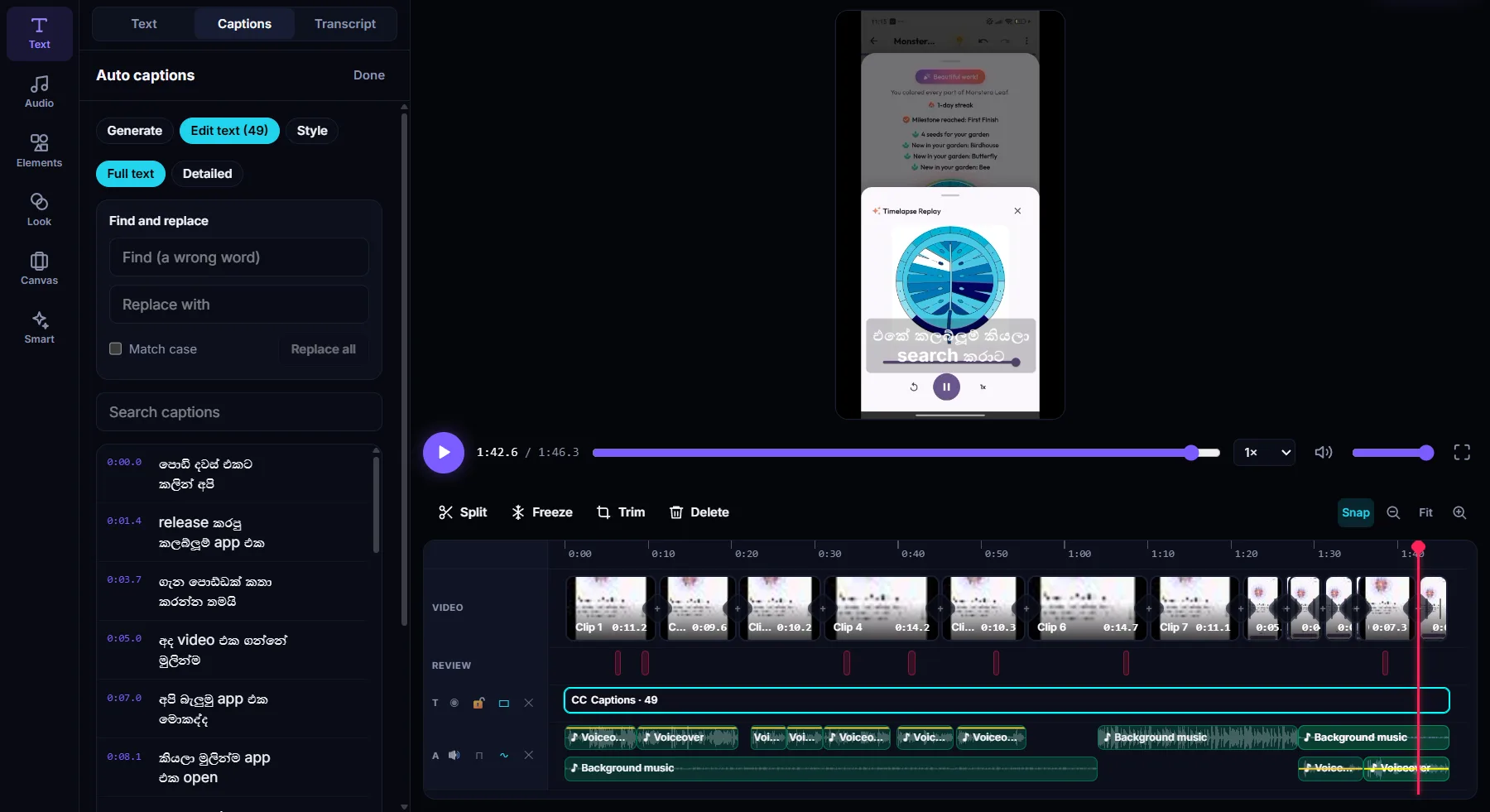
Edit any caption, or find and replace a wrong word everywhere at once.
Cut by deleting words
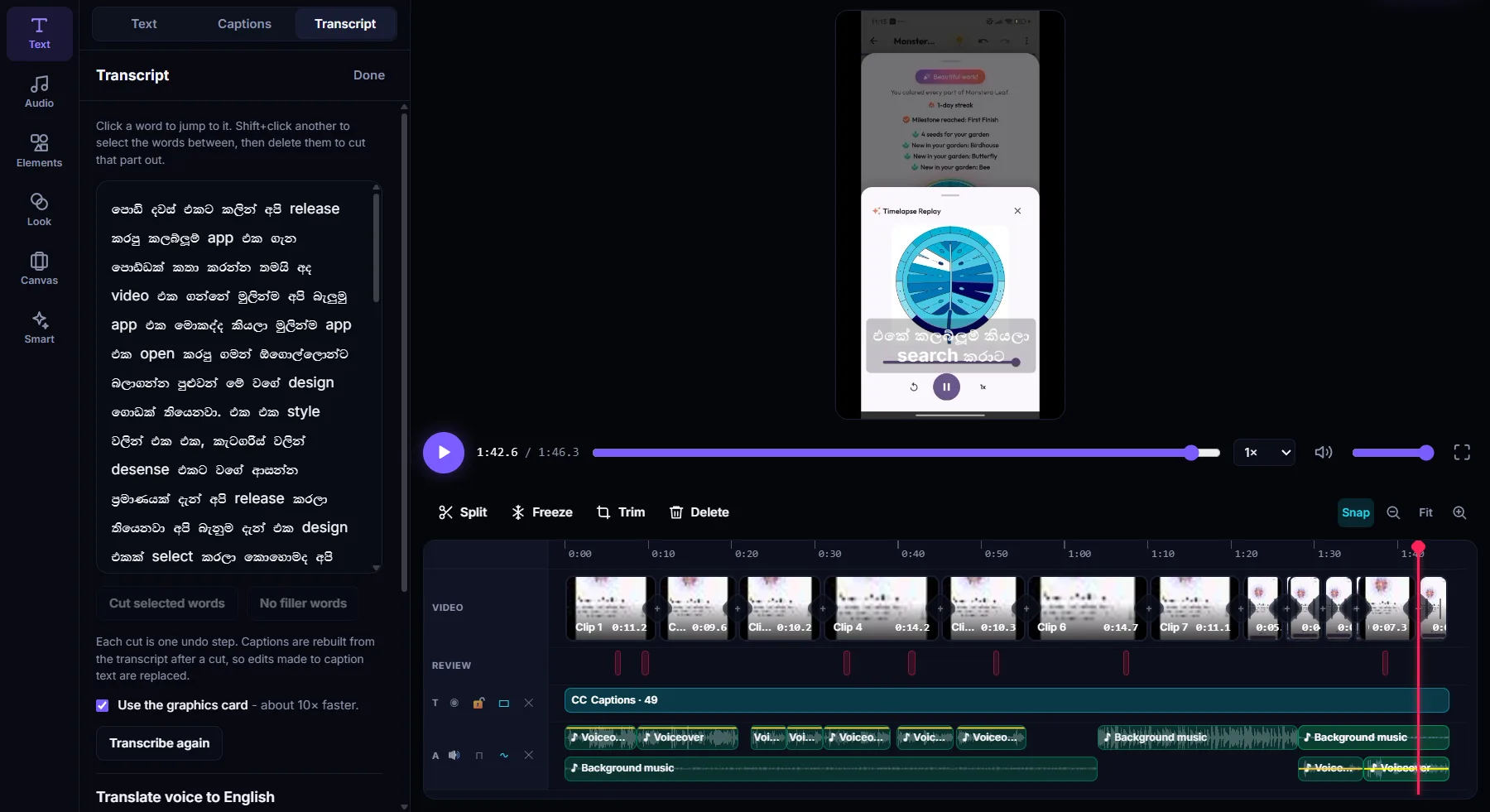
Delete words in the transcript to cut that part of the video. Captions follow the cut.
SRT and WebVTT
Export the captions as a subtitle file, or keep them on the video itself.
See it in the app
Questions
Are the auto captions free?
Yes. Making captions is free. The free plan exports videos up to 10 minutes long.
Which languages are supported?
26, including English, Sinhala, Tamil, Hindi, Kannada, Telugu, Spanish, French, German, Portuguese, Arabic, Japanese, Korean and Chinese. You can also let the app detect the language.
Is my video uploaded to make captions?
No. Speech recognition runs on your own computer. Your audio isn't uploaded to make captions.
Can I change how the captions look?
Yes. Start from one of six looks, then change the font, size, color, outline, background box, alignment and position. To style one caption on its own, click it in the preview.
Can I export captions as SRT?
Yes. Export them as SRT or WebVTT, or export the video with the captions shown on it.
Which computers does it run on?
WipeClip is a free desktop app for Windows 10 (21H2 or later) and Windows 11. The macOS version is coming soon.
More in WipeClip
Try it free
Download WipeClip and caption your next video for free.